Run Collection
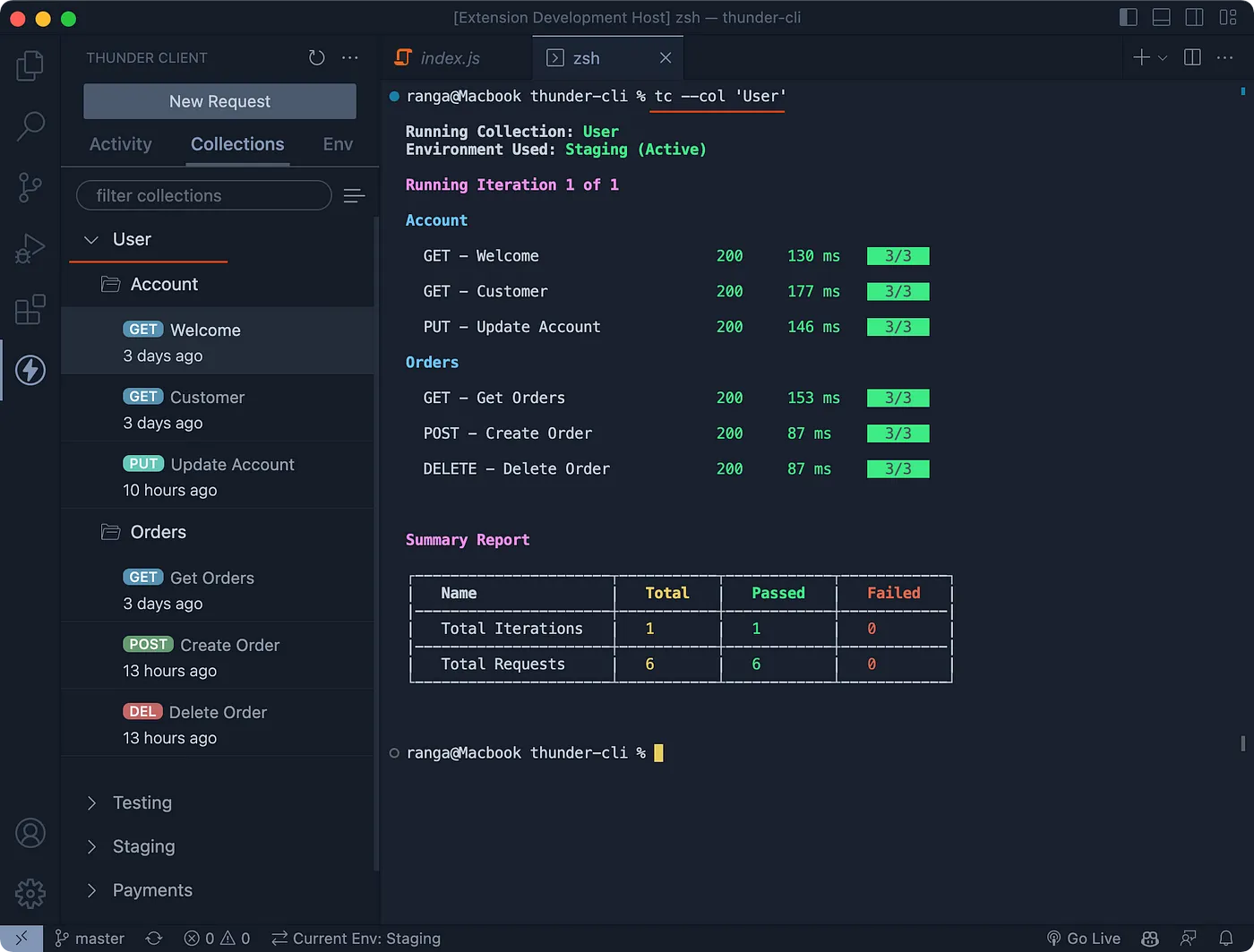
The Collection Runner executes every request in a collection and displays the results in a clear format that mirrors the extension UI.
Video guideCollection Runner in Thunder Client CLIYouTubeRun a Single Collection
tc --col 'colNameOrId'runs all requests in the specified collection.
Run Multiple Collections
tc --col "colNameOrId1,colNameOrId2"runs each of the specified collections.
Run All Collections
tc --col allruns every collection in the workspace.tc --col all --skip "ColA,ColB"runs every collection except ColA and ColB.
Run a Collection in Parallel
tc --col 'colNameOrId' --concurrent 5runs up to 5 requests in parallel.
Run a Folder
tc --fol 'folNameOrId'runs all requests in the specified folder.
Run Multiple Folders
tc --fol 'folNameOrId1,folNameOrId2'runs all requests in each of the specified folders.
Run Selected Requests
tc --reqlist "nameOrId1,nameOrId2,nameOrId3"runs only the specified requests.
Run Options
Environment
By default, collections and requests run with the active environment. To use a different environment, specify the --env argument.
- Example:
tc --col 'colNameOrId' --env 'Staging'
Environment Variable Values
To override environment variable values, use the --var-data argument with the format name1=value1,name2=value2.
- Example:
tc --col 'colNameOrId' --var-data "name1=value1,name2=value2"
Data File
By default, the runner uses the data file attached in the Run Collection UI. To use a different data file, specify the --data-file argument.
- Example:
tc --col 'colNameOrId' --data-file 'relativePathOrFullPath' - Supported formats: CSV and JSON.
Iterations
By default, the runner uses the number of iterations configured in the Run Collection UI. To run a specific number of iterations, use the --iterations argument.
- Example:
tc --col 'colNameOrId' --iterations 10
Delay
By default, the runner uses the delay configured in the Run Collection UI. To set a specific delay, use the --delay argument.
- Example:
tc --col 'colNameOrId' --delay 100(value in milliseconds) - This adds a 100-millisecond delay between requests.
Reports
The CLI can generate reports in cli, csv, html, json, xml, and nunit formats.
tc --col 'User' --report xml,htmlexecutes all requests in the collection and saves the reports to the thunder-reports folder.
Report Types
xmlgenerates a report in JUnit format.nunitgenerates a report in NUnit format, suitable for Xray integration.clidisplays the report directly in the terminal.