Help Screen
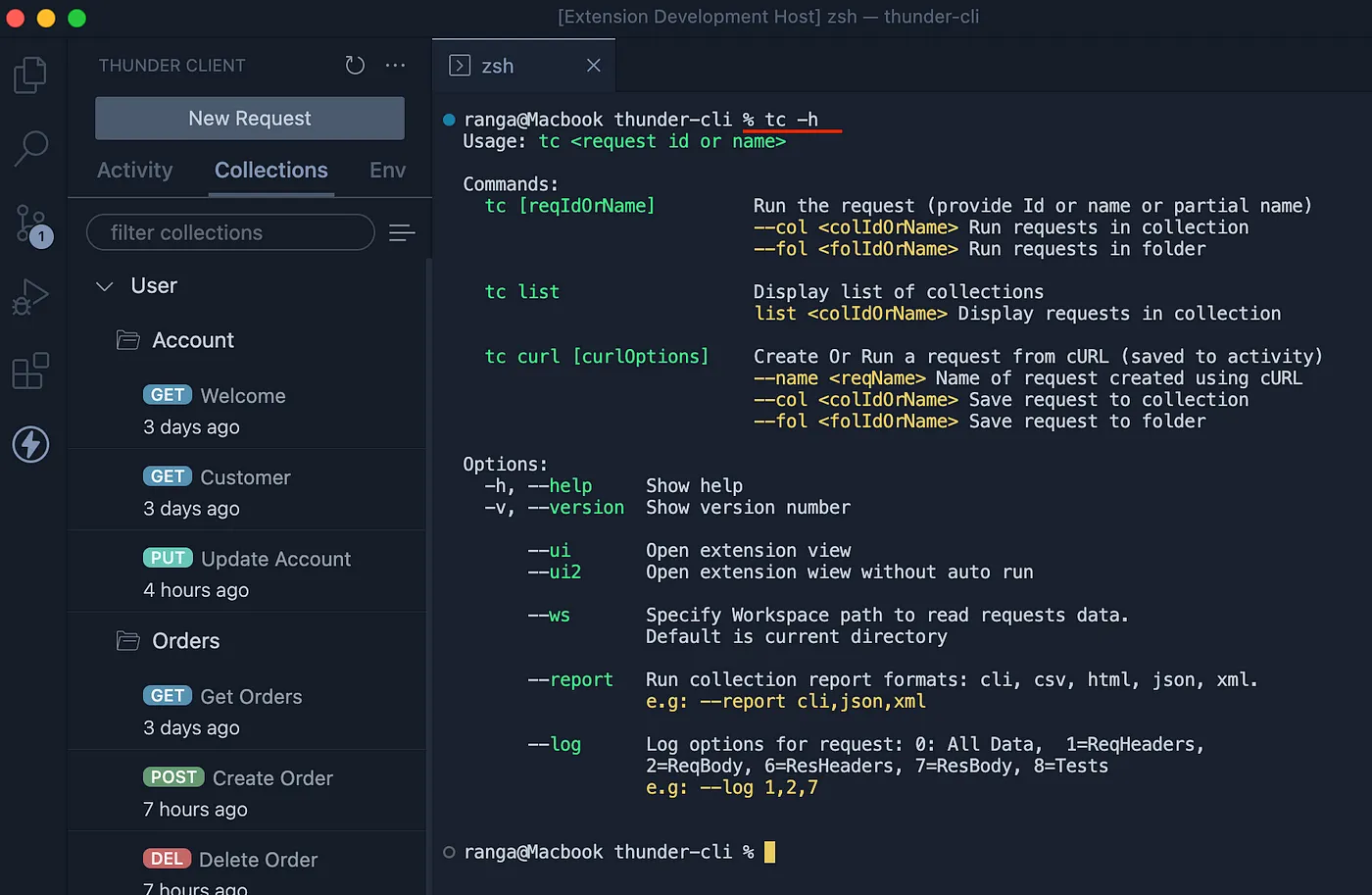
Help screens for command-line tools are often dense and difficult to read. The Thunder Client CLI help screen is designed to be clear, color-coded, and easy to scan.
Debug Information
If the CLI is not reading your data or Git Sync settings as expected, run the debug command to view diagnostic information.
- Run
tc --debug. - The output shows the directory path from which the CLI reads data and the Git Sync setting values it is using.
Last updated on