MCP Server
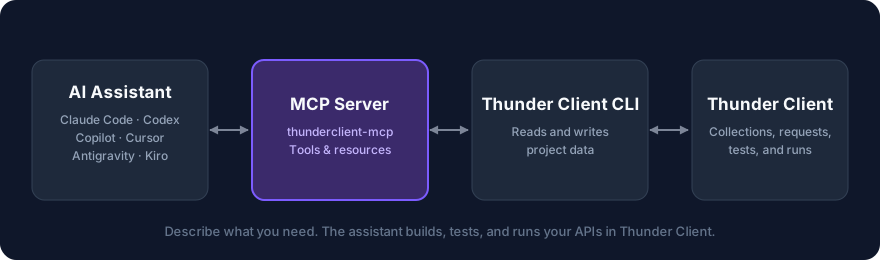
The Thunder Client MCP server is open source (GitHub ) and lets your AI assistant create, update, and run Thunder Client requests and collections from plain-language prompts. It works with Claude Code, Codex, GitHub Copilot, Cursor, Antigravity, Kiro, and any other MCP -compatible tool.
Available on all plans. The Free plan has usage limits. See pricing .
What You Can Do
- Build collections from your source code or an API spec.
- Create and edit requests, including from curl commands.
- Add tests and capture tokens into environment variables.
- Run requests and collections, fix failures, and generate reports.
How It Works
The assistant calls the MCP server, which uses the Thunder Client CLI to read and write your project’s data. Changes appear immediately in the Thunder Client sidebar.
Privacy
- No analytics. The MCP server doesn’t collect analytics or track usage.
- Secrets stay private. The assistant never sees environment variable values or saved credentials.
- Responses are shared. The assistant sees response bodies from requests it runs, so avoid running requests that return data you don’t want to share.
- Open source. The code is MIT-licensed, so you can verify all of this on GitHub .
See What the Assistant Can See for details.
Open Source
The MCP server is open source under the MIT license. View the code on GitHub .
Next Steps
- Install the MCP server.
- Review the Available Tools.
- Try the Example Prompts.
Last updated on